
Program and landing pages
Keep program identity, landing destinations and tracking parameters consistent.
Reviewed 27 October 2026
Confirm the program identity
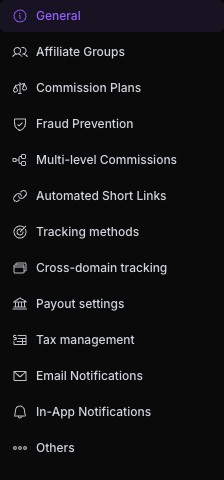
Use the program selector before opening Settings → Program Details → General. Review the Affiliate Program Name and Affiliate Portal Subdomain. A program portal belongs to one program; it is different from the business dashboard used to manage that program.
Changing a portal subdomain or public URL can affect existing invitations and bookmarks. Preserve the prior value and verify the replacement before distribution.
Review landing page URLs
Landing Page URLs define the destinations affiliates can promote. Use the final HTTPS page, check redirects, and verify it carries tracking. Optional parameters and UTM parameters can be added to a landing page. Some pages can be limited to specific affiliates.
Check every destination separately. A working home page does not prove a pricing page or checkout preserves attribution. Avoid changing published link identifiers when adding a new destination.
Save and verify deliberately
Review all pending changes before saving. Reopen the page to confirm persistence, then test the participant-facing link. If you were only previewing an editor, use Discard instead of saving a draft accidentally.